AI Support Triage with human review
When a customer asks for help, AI suggests a reply. A support team member checks the draft and decides what to send.
Practice project · Tested with made-up customer messages · n8n + Gemini
See the test results- Billing question
- Draft savedWaiting for someone to review it
- Same request again
- Repeat recordedThe original draft stays in place
- Empty message
- Request rejectedThe reason is saved
How it works.
Writing a support reply takes time. Someone has to read the message, look up the right information, and decide what to say. I wanted to see whether starting with a draft could save time.
I built and tested the workflow with AI assistance. I checked how it sorted requests, reviewed the draft replies, and timed how long review took.
- 01
Check the request
Make sure it has a request number and a message. Skip requests already processed.
- 02
Write a draft
Gemini reads the message and approved help articles, then suggests a topic and a reply.
- 03
Check and save
Check the request number, the topic, and any help articles the draft cites. Save it for review.
- 04
Review the reply
A support team member checks the facts and can approve, edit, or reject the draft.
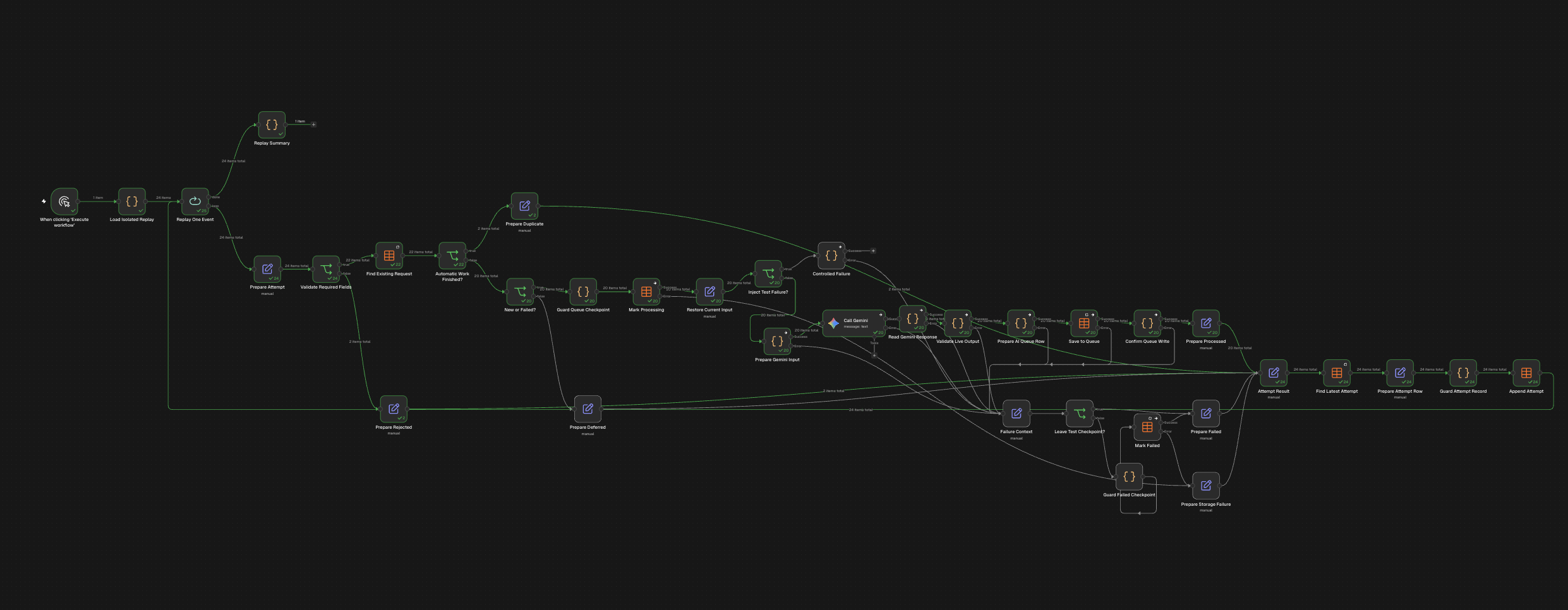
What went wrong and how I fixed it.
Test #48 looked successful at first. When I checked what was saved, 22 entries had no request number. The system could no longer tell which message each entry belonged to.
I fixed how the system carries the request number from step to step and added a check before saving. In test #50, I checked the saved drafts against the original requests and confirmed that earlier records were still there.
Why a person checks each reply
One draft said a security issue had already been passed to the right team. That handoff hadn’t happened. The automatic checks missed the claim, so a person still needs to read what the reply promises.
What the tests showed.
In the final test, the system handled 24 submissions. It saved 20 drafts, spotted two repeats, and rejected two submissions with missing information.
- 20 / 20
- Requests sorted into the expected topicsTest #47 included five examples set aside until the final check.
- 19 / 20
- Draft replies passed the content checkOne draft suggested the product team would get the feedback. The system had no step to send it.
- 100 s → 45 s
- Less time to review an AI draftMedian times across five requests. I compared handling each request from scratch with reviewing an AI draft.
Two of those five drafts needed edits. I measured the time I spent reviewing and rereading. Editing time and costs are still unknown. Before trying this with a team, I’d ask someone new to handle a routine question and a security issue both ways, then compare their decisions and edits.
What this shows for a SaaS team.
The workflow is a practice project. The habits behind it are the ones a support or operations team needs every day.
- 01
Testing on a fixed set
24 requests, including repeats and broken ones, checked against the expected topics, with five examples held back for the final run.
- 02
Failure analysis
Test #48 reported success while 22 drafts had lost their request number. I found where the number dropped and added a check before saving.
- 03
Regression check
Test #50 confirmed the fix and that earlier records were still there, instead of trusting a green status.
- 04
Escalation judgment
A draft promised a security handoff that never happened. People review what a reply promises; the system only prepares it.
Hiring for product support or SaaS operations?